Metadata fundamentals
Scope
This guide explains how metadata works in SSB Timeseries. It covers key concepts like:
the type system
tag inheritance from
DatasettoSeriesobjects
It also touches ever so lightly some topics that deserve being covered in more depth:
search and filtering with tags
consuming taxonomies
calculations with metadata
Prerequisites
Note
The guide assumes that the SSB Timeseries library is installed and that a working configuration is active. See the quickstart guide for instructions to that.
from ssb_timeseries.config import Config

Config.active().is_valid
True
Repositories, Datasets and Series
Repositories, Datasets and Series are the building blocks of a hierarchy.
Repositories are unique within the universe held within a configuration.
Repositories contain Datasets.
Datasets must be uniquely identified within their repository.
Similarly, Series must be uniquely identified within the Datasets they are part of.
Their names are unique identifiers within the scope of their parent. That means that it is possible to have:
Repository A
    Dataset PQR
      Series P
      Series Q
      Series R
    Dataset XYZ-1
        Series X
        Series Y
        Series Z
    Dataset XYZ-2
        Series X
        Series Y
        Series Z
Repository B
    Dataset PQR
        Series P
        Series Q
        Series R
This scoping provides flexibility. It allows the same logic for different datasets. Creating a new dataset with almost identical content makes sense and allows easy transitions and comparisons in cases of changing methodologies or classifications. It also creates a potential for confusion.
Datasets and Series are also associated with both technical and purely descriptive metadata via tags.
While the “long name” Repository/Dataset/Series carries the identity of an individual series, its tags defines its meaning.
If two complete sets of descriptions (tags) are identical, that implies identity.
If there is a “real” difference (as opposed to merely a copy existing) it should show up in the metadata.
The type system
SeriesTypes are defined by combinations of attributes that have technical implications for time series datasets.
Notable examples are Versioning and Temporality, but a few more may be added later.
Versioning refers to how revisions of data are identified (named).
Temporality describes the time dimensionality of each data point; notably duration or lack thereof.
from ssb_timeseries.dataset import Dataset
from ssb_timeseries.types import SeriesType, Versioning, Temporality
Creating a Dataset
some_data = dataframe_like_data_from_file_or_query()
When creating a Dataset for the first time, a name, a type and some data are required.
Specifying a repository is optional.
If not specified, the configuration will determine which one is used, if there is more than one.
sample_set = Dataset(
    name = 'PQR',
    data_type = SeriesType(Versioning.NONE, Temporality.AT),
    data = some_data,
)
sample_set.save()
print(repr(sample_set))
Dataset(name="PQR", repository="tutorials", data_type=SeriesType(Versioning.NONE,Temporality.AT), as_of_tz=None)
These attributes are technically significant. If any of them are changed, it changes where or how the data is stored, and how it may be used.
The technical attributes are both object properties and reflected in Dataset.tags. This minimal amount of mandatory metadata is applied creation time and can not be changed without running the risk of breaking functionality.
sample_set.tags
{'name': 'PQR',
 'product group': ['essential', 'essentials'],
 'repository': 'tutorials',
 'series': {'p': {'dataset': 'PQR',
                  'name': 'p',
                  'product': 'coffee',
                  'product group': ['essential', 'essentials'],
                  'repository': 'tutorials',
                  'temporality': 'AT',
                  'vare': 'kaffe',
                  'varegruppe': 'nødvendigheter',
                  'variabel': 'pris',
                  'variable': 'price',
                  'versioning': 'NONE'},
            'q': {'dataset': 'PQR',
                  'name': 'q',
                  'product': 'crispbread',
                  'product group': ['essential', 'essentials'],
                  'repository': 'tutorials',
                  'temporality': 'AT',
                  'vare': 'knekkebrød',
                  'varegruppe': 'nødvendigheter',
                  'variabel': 'pris',
                  'variable': 'price',
                  'versioning': 'NONE'},
            'r': {'dataset': 'PQR',
                  'name': 'r',
                  'product': 'brown cheese',
                  'product group': ['essential', 'essentials'],
                  'repository': 'tutorials',
                  'temporality': 'AT',
                  'vare': 'brunost',
                  'varegruppe': 'nødvendigheter',
                  'variabel': 'pris',
                  'variable': 'price',
                  'versioning': 'NONE'}},
 'temporality': 'AT',
 'varegruppe': 'nødvendigheter',
 'variabel': 'pris',
 'variable': 'price',
 'versioning': 'NONE'}
Note how Dataset.name becomes Series.dataset in the tags, while the technical properties are inherited directly.
The datatype dimensions are reflected in both in .versioning and the single valid_at column in .data:
sample_set.data
valid_at |
p |
q |
r |
|---|---|---|---|
2019-12-31 23:00:00+00:00 |
110.0 |
110.0 |
90.0 |
2020-01-01 23:00:00+00:00 |
90.0 |
100.0 |
80.0 |
2020-01-02 23:00:00+00:00 |
110.0 |
110.0 |
90.0 |
2020-01-03 23:00:00+00:00 |
100.0 |
100.0 |
100.0 |
2020-01-04 23:00:00+00:00 |
100.0 |
80.0 |
120.0 |
… |
… |
… |
… |
2025-05-27 22:00:00+00:00 |
110.0 |
110.0 |
100.0 |
2025-05-28 22:00:00+00:00 |
100.0 |
110.0 |
80.0 |
2025-05-29 22:00:00+00:00 |
110.0 |
90.0 |
100.0 |
2025-05-30 22:00:00+00:00 |
90.0 |
110.0 |
100.0 |
2025-05-31 22:00:00+00:00 |
100.0 |
90.0 |
100.0 |
To apply more than the minimal set of technical tags, we need to “tag” the dataset and series.
sample_set.tag_dataset(tags={'variable': 'price','product group': 'essential'})

sample_set.tag_series('p',tags={'product': 'coffee'})
sample_set.tag_series('q',tags={'product': 'crispbread'})
sample_set.tag_series('r',tags={'product': 'brown cheese'})

sample_set.save()
sample_set.tags
{'name': 'PQR',
 'product group': ['essential', 'essentials'],
 'repository': 'tutorials',
 'series': {'p': {'dataset': 'PQR',
                  'name': 'p',
                  'product': 'coffee',
                  'product group': ['essential', 'essentials'],
                  'repository': 'tutorials',
                  'temporality': 'AT',
                  'vare': 'kaffe',
                  'varegruppe': 'nødvendigheter',
                  'variabel': 'pris',
                  'variable': 'price',
                  'versioning': 'NONE'},
            'q': {'dataset': 'PQR',
                  'name': 'q',
                  'product': 'crispbread',
                  'product group': ['essential', 'essentials'],
                  'repository': 'tutorials',
                  'temporality': 'AT',
                  'vare': 'knekkebrød',
                  'varegruppe': 'nødvendigheter',
                  'variabel': 'pris',
                  'variable': 'price',
                  'versioning': 'NONE'},
            'r': {'dataset': 'PQR',
                  'name': 'r',
                  'product': 'brown cheese',
                  'product group': ['essential', 'essentials'],
                  'repository': 'tutorials',
                  'temporality': 'AT',
                  'vare': 'brunost',
                  'varegruppe': 'nødvendigheter',
                  'variabel': 'pris',
                  'variable': 'price',
                  'versioning': 'NONE'}},
 'temporality': 'AT',
 'varegruppe': 'nødvendigheter',
 'variabel': 'pris',
 'variable': 'price',
 'versioning': 'NONE'}
Initialising a variable for an existing Dataset, we retrieve the previously stored metadata.
pqr = Dataset('PQR')
pqr.tags
{'name': 'PQR',
 'product group': ['essential', 'essentials'],
 'repository': 'tutorials',
 'series': {'p': {'dataset': 'PQR',
                  'name': 'p',
                  'product': 'coffee',
                  'product group': ['essential', 'essentials'],
                  'repository': 'tutorials',
                  'temporality': 'AT',
                  'vare': 'kaffe',
                  'varegruppe': 'nødvendigheter',
                  'variabel': 'pris',
                  'variable': 'price',
                  'versioning': 'NONE'},
            'q': {'dataset': 'PQR',
                  'name': 'q',
                  'product': 'crispbread',
                  'product group': ['essential', 'essentials'],
                  'repository': 'tutorials',
                  'temporality': 'AT',
                  'vare': 'knekkebrød',
                  'varegruppe': 'nødvendigheter',
                  'variabel': 'pris',
                  'variable': 'price',
                  'versioning': 'NONE'},
            'r': {'dataset': 'PQR',
                  'name': 'r',
                  'product': 'brown cheese',
                  'product group': ['essential', 'essentials'],
                  'repository': 'tutorials',
                  'temporality': 'AT',
                  'vare': 'brunost',
                  'varegruppe': 'nødvendigheter',
                  'variabel': 'pris',
                  'variable': 'price',
                  'versioning': 'NONE'}},
 'temporality': 'AT',
 'varegruppe': 'nødvendigheter',
 'variabel': 'pris',
 'variable': 'price',
 'versioning': 'NONE'}
Selecting series
Series can be selected from the dataset by name, regex patterns or tags.
pqr['p','q'].plot()
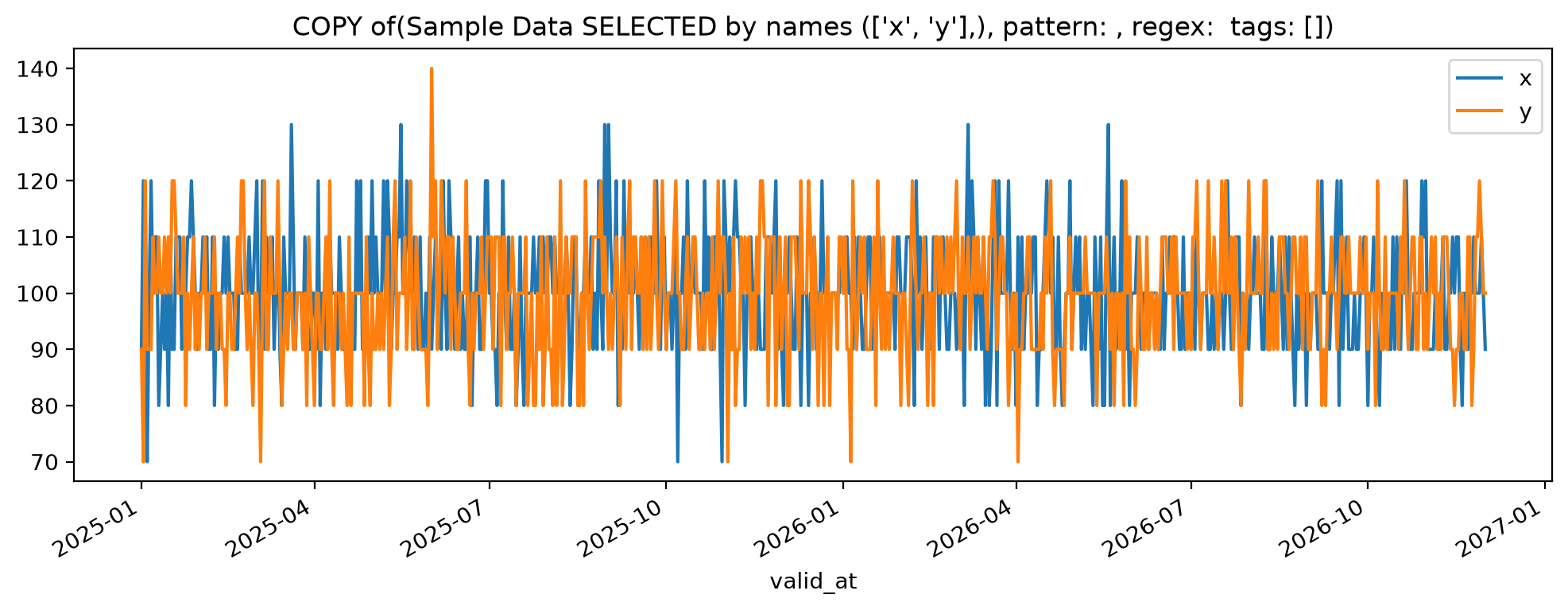
And tags as well:
pqr[{'product': 'coffee'}].plot()
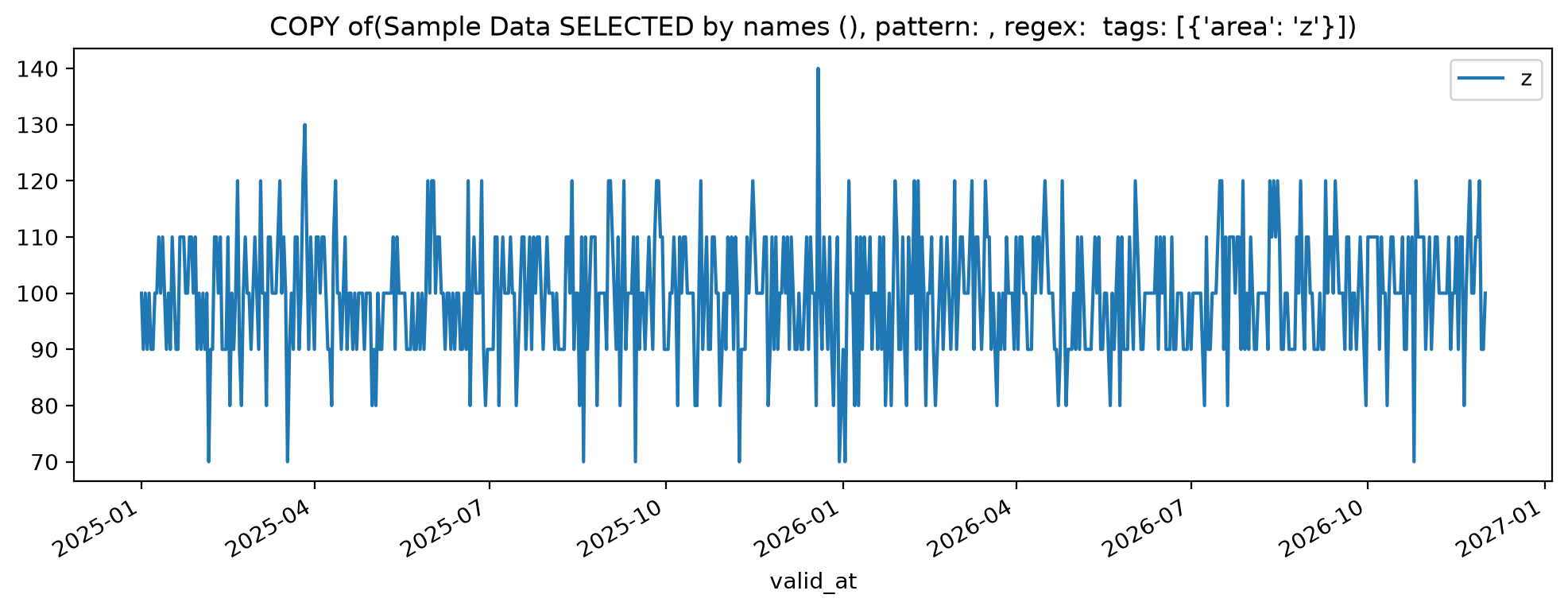
With the simple “XYZ” dataset this is not so exciting. However, selection by tags becomes very powerful for bigger datasets.
bigger_data = mock_interval_data_from_file_or_query(start='2025-01-01', end='2025-06-01')
az = Dataset(
    name = 'AZ_drinks',
    data_type = SeriesType('NONE', 'FROM_TO'),
    data = bigger_data,
    attributes=['store','variable','product', 'region'],
)
#az.save()
The az set has 2080 series.
At this scale, it is not longer practical to deal with individual series:
az.tags["series"]["a_price_coffee_NW"]
{'dataset': 'AZ_drinks',
 'name': 'a_price_coffee_NW',
 'product': 'coffee',
 'region': 'NW',
 'repository': 'tutorials',
 'store': 'a',
 'temporality': 'FROM_TO',
 'variable': 'price',
 'versioning': 'NONE'}
While one could do something like looping over name patterns, organising the data in subsets identified by tags is much more practical:
prices = az[{'variable':'price'}]
volumes = az[{'variable':'volume'}]
Series in prices:
a_price_beer_N a_price_beer_NE ... z_price_wine_SE z_price_wine_SW z_price_wine_W

 len(prices.series)=1040
New objects and tag maintenance
The selection returns new dataset instnances for which both the data and the metadata have been filtered to match the criteria. The retrieved data is sorted to allow calculations to be performed without complicated matching.
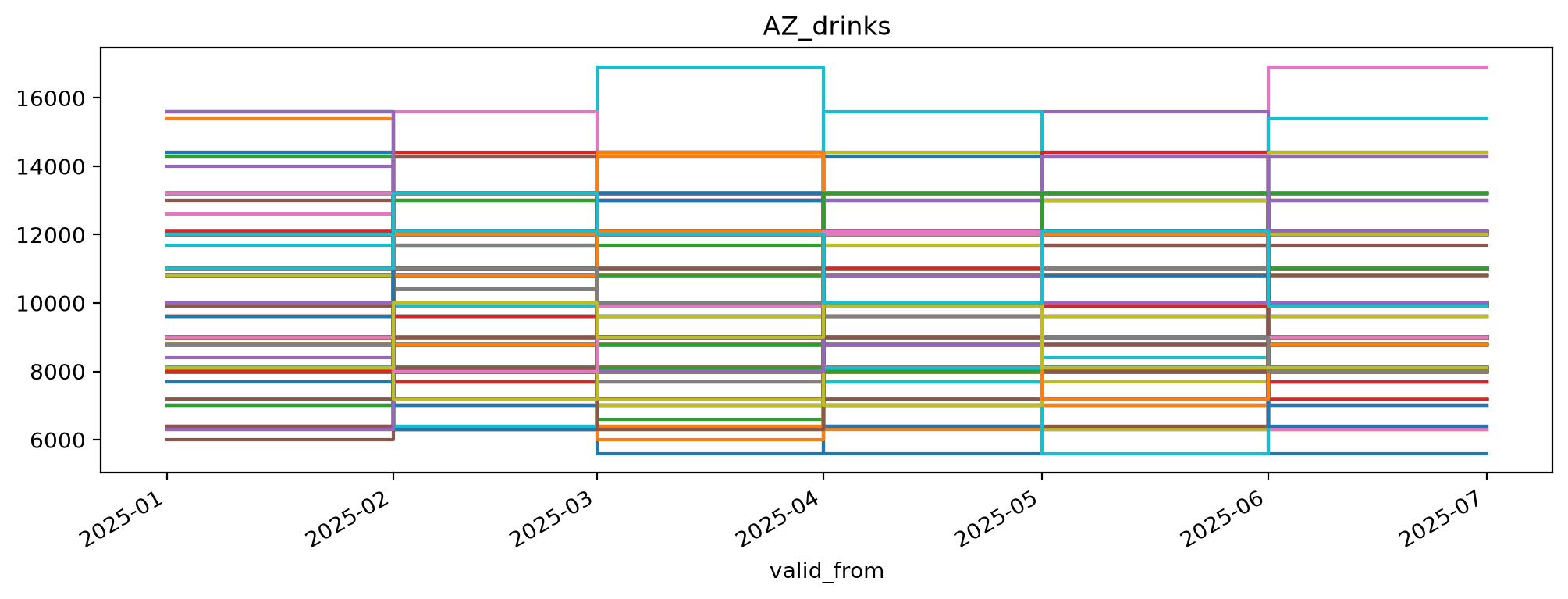
revenue = prices * volumes
(Explicit matching may still be required in some corner cases.)
After a calculations, the original metadata will rarely be accurate anymore. Some functions update the metadata automatically, but in general tags need to be updated after calculations.
revenue.rename('AZ_drinks', ('prices', 'volumes'))
revenue.replace_tags(({'variable':'price'},{'variable':'revenue'}))
revenue.plot()
See tag maintenance or calculations with metadata for more about either topic.
Formal taxonomies
As seen in the code above, the SSB Timeseries library implements tags as key value pairs and handles them through Python dictionaries. This is a very lightweight approach that provides a lot of flexibility. Just about anything that fits into the key value structure goes.
A more formal approach will put some governance and standardisation on which attributes to use, how to name them, and which values are allowed.
Integrating with such formal structures - and metadata systems - through the meta module is in the shaping.
The design philosophy is to keep the integration lightweight and configurable.
At the core is the idea that attributes take their values defined in a Taxonomy.
The code snippet below shows how a taxonomy may be consumed from Statistics Norway’s taxonomy system KLASS.
from ssb_timeseries.meta import Taxonomy

klass157 = Taxonomy(klass_id=157)
klass157.print_tree()
╙── 0
    ├─╼ 1
    │   ├─╼ 1.1
    │   │   ├─╼ 1.1.1
    │   │   ├─╼ 1.1.2
    │   │   └─╼ 1.1.3
    │   └─╼ 1.2
    ├─╼ 11
    │   ├─╼ 11.1
    │   └─╼ 11.2
    ├─╼ 12
    │   ├─╼ 12.1
    │   │   ├─╼ 12.1.1
    │   │   ├─╼ 12.1.10
    │   │   ├─╼ 12.1.11
    │   │   ├─╼ 12.1.12
    │   │   ├─╼ 12.1.13
    │   │   ├─╼ 12.1.2
    │   │   ├─╼ 12.1.3
    │   │   ├─╼ 12.1.4
    │   │   ├─╼ 12.1.5
    │   │   ├─╼ 12.1.6
    │   │   ├─╼ 12.1.7
    │   │   ├─╼ 12.1.8
    │   │   └─╼ 12.1.9
    │   ├─╼ 12.2
    │   │   ├─╼ 12.2.1
    │   │   ├─╼ 12.2.2
    │   │   ├─╼ 12.2.3
    │   │   ├─╼ 12.2.4
    │   │   └─╼ 12.2.5
    │   └─╼ 12.3
    │       ├─╼ 12.3.1
    │       ├─╼ 12.3.2
    │       ├─╼ 12.3.3
    │       └─╼ 12.3.4
    ├─╼ 13
    ├─╼ 14
    ├─╼ 15
    ├─╼ 2
    ├─╼ 3
    ├─╼ 4
    │   ├─╼ 4.1
    │   └─╼ 4.2
    ├─╼ 5
    ├─╼ 6
    ├─╼ 7
    │   ├─╼ 7.1
    │   ├─╼ 7.2
    │   ├─╼ 7.3
    │   ├─╼ 7.4
    │   ├─╼ 7.5
    │   └─╼ 7.6
    ├─╼ 8
    │   ├─╼ 8.1
    │   ├─╼ 8.2
    │   ├─╼ 8.3
    │   ├─╼ 8.4
    │   ├─╼ 8.5
    │   ├─╼ 8.6
    │   ├─╼ 8.7
    │   ├─╼ 8.8
    │   └─╼ 8.9
    └─╼ 9
In this example the taxonomy has a hierarcical structure. Hierarchical (or even graph) structures may be used for calculations, as long as the tag values match a taxonomy.
While features for tag mainatenance allow fixing some mistakes after the fact, attribute structures are important considerations that should not be taken lightly. They are, after all, a subset of “naming things”.
Data catalog
The SSB Timeseries library can be configured to deal with the metadata in more than one way. The library configuration allows setting up metadata repositories independent of the data storage. That allows multiple data repositories to share a single metadata repository. At the most technical level, storage comes down to IO implementation, but the separate configurations allow the metadata to be stored more than once. It can be stored both near the actual data, say in header or footer fields of file based storage, and in a sentral repository accessed through an API.
Regardless of setup, multiple metadata repositories in a configuration can be treated as a single catalog. Collecting structured metadata in one place makes it easier to search.
from ssb_timeseries import get_catalog

our_timeseries_database = get_catalog()
all_the_datasets = our_timeseries_database.datasets()
type(all_the_datasets)
<class 'list'>
type(all_the_datasets[0])
<class 'ssb_timeseries.catalog.CatalogItem'>
[catalog_item.object_name for catalog_item in all_the_datasets]
['AZ_beverages',
 'AZ_drinks',
 'BNO',
 'More Prices and Volumes',
 'POPU06',
 'PQR',
 'Prices and Volumes',
 'SampleDataset',
 'XYZ']
import pandas as pd
pd.DataFrame(all_the_datasets )
The list above should correspond to what we find in our file based repository:
timeseries/
├── archives/
│   ├── statistics/
│   │   └── PQR/
│   │       ├── PQR_p2019-12-31T23-00-00.000+00-00_p2025-08-14T22-00-00.000+00-00_v1.parquet
│   │       └── PQR_p2019-12-31T23-00-00.000+00-00_p2025-08-14T22-00-00.000+00-00_v2.parquet
│   ├── The Sample Statistic/
│   │   └── statistics/
│   │       └── SampleDataset/
│   │           ├── SampleDataset_p2021-12-31T23-00-00.000+00-00_p2022-11-30T23-00-00.000+00-00_v1.parquet
│   │           └── SampleDataset_p2021-12-31T23-00-00.000+00-00_p2022-11-30T23-00-00.000+00-00_v2.parquet
│   └── XYZ/
│       ├── XYZ_p2021-12-31T23-00-00.000+00-00_p2022-11-30T23-00-00.000+00-00_v2.parquet
│       └── XYZ_p2025-07-30T22-00-00.000+00-00_p2025-08-05T22-00-00.000+00-00_v2025-08-06T22-00-00.000+00-00_v_v1.parquet
├── AS_OF_AT/
│   ├── POPU06/
│   │   ├── POPU06-as_of_2023-12-31T230000+0000-data.parquet
│   │   ├── POPU06-as_of_2024-01-31T230000+0000-data.parquet
│   │   ├── POPU06-as_of_2025-10-31T230000+0000-data.parquet
│   │   ├── POPU06-as_of_2025-11-30T230000+0000-data.parquet
│   │   └── ...
│   └── XYZ/
│       ├── XYZ-as_of_2025-04-30T220000+0000-data.parquet
│       ├── XYZ-as_of_2025-05-31T220000+0000-data.parquet
│       ├── XYZ-as_of_2025-08-05T220000+0000-data.parquet
│       ├── XYZ-as_of_2025-08-06T220000+0000-data.parquet
│       └── ...
├── AS_OF_FROM_TO/
│   ├── BNO/
│   │   ├── BNO-as_of_2025-05-31T220000+0000-data.parquet
│   │   └── BNO-as_of_2025-08-06T220000+0000-data.parquet
│   └── Prices and Volumes/
│       ├── Prices and Volumes-as_of_2023-12-31T230000+0000-data.parquet
│       ├── Prices and Volumes-as_of_2024-01-31T230000+0000-data.parquet
│       ├── Prices and Volumes-as_of_2025-10-31T230000+0000-data.parquet
│       ├── Prices and Volumes-as_of_2025-11-30T230000+0000-data.parquet
│       └── ...
├── metadata/
│   ├── AZ_beverages-metadata.json
│   ├── AZ_drinks-metadata.json
│   ├── SampleDataset-metadata.json
│   ├── XYZ-metadata.json
│   └── ...
├── NONE_AT/
│   ├── PQR/
│   │   └── PQR-latest-data.parquet
│   ├── SampleDataset/
│   │   └── SampleDataset-latest-data.parquet
│   └── XYZ/
│       └── XYZ-latest-data.parquet
├── NONE_FROM_TO/
│   ├── AZ_beverages/
│   │   └── AZ_beverages-latest-data.parquet
│   ├── AZ_drinks/
│   │   └── AZ_drinks-latest-data.parquet
│   └── More Prices and Volumes/
│       └── More Prices and Volumes-latest-data.parquet
└── shared/
    └── default/
        ├── statistics/
        │   └── PQR/
        │       ├── PQR_p2019-12-31T23-00-00.000+00-00_p2025-08-14T22-00-00.000+00-00_v1.parquet
        │       └── PQR_p2019-12-31T23-00-00.000+00-00_p2025-08-14T22-00-00.000+00-00_v2.parquet
        └── XYZ/
            ├── XYZ_p2021-12-31T23-00-00.000+00-00_p2022-11-30T23-00-00.000+00-00_v2.parquet
            └── XYZ_p2025-07-30T22-00-00.000+00-00_p2025-08-05T22-00-00.000+00-00_v2025-08-06T22-00-00.000+00-00_v_v1.parquet
See the guide to search and filtering for more details on the Catalog.
# @supress

def test_success():
    assert True
testing.run_and_report([test_success])